
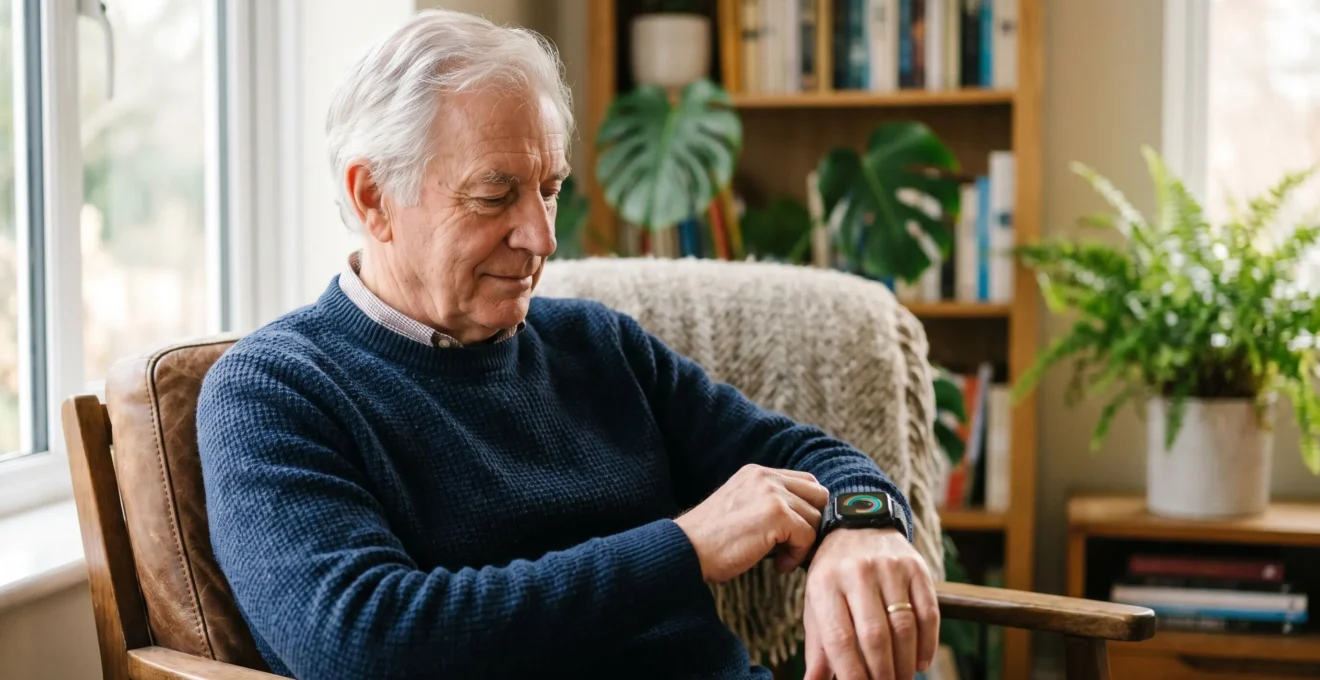
The best health watch for a senior is not about specs, but about which device offers medical security without sacrificing personal dignity or creating new anxieties.
- Apple Watch leads with clinical-grade AFib/ECG capabilities and best-in-class fall detection, making it a stronger choice for high-risk users within the Apple ecosystem.
- Fitbit Sense counters with a significantly longer battery life and cross-platform compatibility (iPhone/Android), reducing the “behavioral friction” of daily use.
Recommendation: Choose the Apple Watch SE for a senior deeply integrated in the Apple ecosystem who needs top-tier passive monitoring. Opt for the Fitbit Sense if ease of use, less frequent charging, and family connectivity across different phone brands are the priority.
The blinking light on a wrist is no longer just a sign of a new message; for many seniors, it’s a beacon of independence, a quiet guardian monitoring heart health. As mainstream tech like the Apple Watch and Fitbit Sense evolves, these devices have crossed the chasm from fitness trackers to sophisticated health monitors. The question is no longer *if* they can be useful, but *how* to choose the right one. The typical debate revolves around feature lists: ECG vs. EDA, battery life, screen size. This approach, however, misses the most critical factor for senior users.
The real decision lies in a delicate balance between gaining medical security and maintaining personal dignity. No one wants a device that screams “I am frail.” The ideal technology, or “Dignity Tech,” is one that empowers without stigmatizing, that provides crucial data without causing “data anxiety,” and that integrates seamlessly into a life already being lived. It’s about finding a partner for your health journey, not a warden on your wrist.
This guide moves beyond the spec sheets. We will analyze the Apple Watch SE and Fitbit Sense through the lens of a tech-savvy, medically-aware user. We’ll scrutinize the real-world accuracy of their sensors, the critical importance of daily usability, the psychological impact of constant data, and the practicalities of sharing that information with loved ones. Our goal is to equip you to choose a device that offers true peace of mind, not just a collection of features.
This article provides a detailed comparison to help you make an informed decision. Below is a summary of the key aspects we will cover to determine which device is the best fit for you or your loved ones.
Summary: A Detailed Comparison of Apple Watch SE and Fitbit Sense for Senior Health Monitoring
- Can a watch really detect Atrial Fibrillation accurately enough for your GP?
- 40mm vs 44mm: is the bigger screen worth the extra weight on a frail wrist?
- Daily Charge vs Weekly Charge: choosing a device you won’t forget to power?
- The mistake of obsessing over heart rate data and causing stress
- How to set up “Health Sharing” so your daughter gets your fall alerts?
- Arm Cuff or Wrist Monitor: which gives accurate medical data?
- Why the “Talk Test” is safer than a heart rate monitor for beginners?
- Smart Jewellery: Are necklace alarms reliable enough to replace the ugly red button?
Can a watch really detect Atrial Fibrillation accurately enough for your GP?
Yes, for the purpose of flagging a potential issue, modern smartwatches can detect Atrial Fibrillation (AFib) with an accuracy that is certainly high enough to warrant a conversation with your doctor. It’s crucial to understand their role: these devices are not for diagnosis but for detection and data collection. They provide high-quality, actionable information that was previously only available through cumbersome medical equipment. An ECG app on a watch allows you to capture a rhythm strip at the very moment you feel a symptom, which is incredibly valuable for a physician.
The technology has progressed significantly beyond simple heart rate counting. In fact, specific to AFib detection, recent research demonstrates that consumer smartwatches can achieve a sensitivity of 94.81% and a specificity of 96.12%. This means they are very good at both identifying AFib when it’s present and correctly ruling it out when it’s not. The Apple Watch, in particular, has FDA clearance for its ECG and irregular rhythm notifications, lending it significant credibility.
When you present your GP with a saved ECG strip from your watch, you’re not asking them to trust the watch’s “diagnosis.” You are providing them with a medical-grade data point—a single-lead electrocardiogram—that they can interpret with their own expertise. This transforms the conversation from “Doctor, I sometimes feel a flutter” to “Doctor, here is an ECG I captured during an episode last Tuesday at 2:15 PM.” This level of specific, objective data is a game-changer for early detection and management.
40mm vs 44mm: is the bigger screen worth the extra weight on a frail wrist?
The choice between a 40mm and a 44mm watch case is far more than a cosmetic preference; it’s a critical decision about daily comfort and usability. For a senior, especially one with a delicate or frail wrist, the seemingly minor difference in size and weight can determine whether the watch is a helpful companion or a cumbersome annoyance that ends up in a drawer. A larger screen offers undeniable benefits in readability. Tapping small icons, reading notifications, and viewing health charts are all easier on a bigger, brighter display, which can reduce frustration for those with declining eyesight.
However, this comes at a cost. The extra weight and larger footprint of a 44mm model can feel bulky and unbalanced on a smaller wrist. It can snag on sleeves, feel intrusive during sleep, and cause skin irritation if not fitted properly. The primary goal of a health monitoring device is adherence—it has to be worn consistently to be effective. If a watch is uncomfortable, it won’t be worn, and its life-saving features become useless. Therefore, the “worth” of the bigger screen must be weighed against the potential for physical discomfort and non-compliance.
The material of the watch band is an equally important part of this equation. A soft, elastic, or fabric loop band can distribute the weight more evenly and feel much more comfortable against sensitive skin than a standard silicone or metal band. These bands make the watch feel like a part of you, rather than a foreign object strapped to your arm.
As the detailed view above illustrates, the interaction between the band and the skin is key to long-term comfort. The ideal choice is often the smallest, lightest watch case that still provides a legible display for the user, paired with the most comfortable band available. Prioritizing this “lifestyle integration” over having the absolute largest screen is often the smarter choice for ensuring the device is worn 24/7, which is when it can do the most good.
Daily Charge vs Weekly Charge: choosing a device you won’t forget to power?
The question of charging frequency cuts to the heart of a device’s practicality. It’s a matter of “behavioral friction”—the small, repetitive annoyances that can derail even the best intentions. An Apple Watch, with its powerful processor and vibrant screen, typically requires a daily charging routine. A Fitbit Sense, on the other hand, can often last up to a week on a single charge. This difference is not trivial; it fundamentally changes the user’s relationship with the device.
A daily charging habit needs to be established and maintained. For many, this is simple: the watch goes on the charger at night next to the phone. However, this routine has a significant point of failure. If you forget, go to bed early, or travel overnight without the specific charging puck, you’ll have a dead device the next day. For a senior, especially one for whom the watch is a safety device, this gap in coverage can be a source of anxiety for both themselves and their family. It also means sacrificing overnight health tracking, such as sleep patterns and SpO2 levels, which are valuable data points.
A weekly charging cycle is far more resilient. It doesn’t demand a perfect daily routine. You can forget for a day or two without consequence. The prompt to charge is less frequent and can be planned for—for instance, charging it for an hour while you shower on Sunday. This lower-maintenance approach significantly reduces behavioral friction. The device spends more time on the wrist and less time tethered to a cable, maximizing its potential for continuous health monitoring and fall detection. For a user who values simplicity and wants to “set it and forget it” as much as possible, a device with a longer battery life, like the Fitbit, presents a compelling advantage in real-world usability, even if it means sacrificing some of the Apple Watch’s more advanced processing power.
The mistake of obsessing over heart rate data and causing stress
One of the unintended consequences of having a 24/7 health monitor on your wrist is the potential for “data anxiety.” Having constant access to your heart rate can be empowering, but it can also become a source of stress if not contextualized properly. Seeing your heart rate spike when you climb a flight of stairs is normal. Seeing it fluctuate throughout the day is also normal. However, for someone predisposed to anxiety, every minor blip can feel like a potential catastrophe, leading to a vicious cycle where worrying about the data actually elevates your heart rate.
This is a critical mistake. The raw heart rate number is only one piece of a much larger puzzle. It must be interpreted in the context of activity, stress levels, caffeine intake, and overall feeling. A number without context is just noise, and obsessing over this noise can be more harmful than helpful. The true power of these devices comes not from watching the numbers tick up and down, but from their ability to establish a personal baseline over time and alert you to significant deviations from that baseline.
To avoid data anxiety, it’s essential to have a pre-defined action plan. Instead of reacting to every change, you need a system to classify the information. This turns passive worry into active management. A simple “traffic light” system can be incredibly effective for interpreting heart rate data in a healthy, non-obsessive way. Discussing these zones with your doctor can provide even more personalized and reassuring thresholds.
A sensible framework might look like this:
- Green Zone: Heart rate spikes during physical activity (walking, climbing stairs). This is a normal physiological response. No action is needed beyond noting the activity.
- Yellow Zone: Resting heart rate is elevated above your personal baseline for 10+ minutes without physical exertion or a clear cause like stress or caffeine. Log the event with time and any symptoms. Discuss the pattern with your GP at your next appointment.
- Red Zone: Heart rate is above a concerning threshold (as defined with your doctor) and is accompanied by dizziness, chest discomfort, or shortness of breath. Stop all activity and seek medical assistance immediately.
How to set up “Health Sharing” so your daughter gets your fall alerts?
The ability to share health data, particularly critical alerts like fall detection, is one of the most compelling reasons for a senior to wear a smartwatch. For a daughter, son, or caregiver, it provides immense peace of mind. However, enabling this feature is more than a technical task; it’s the beginning of a “privacy partnership.” It requires an open conversation and clear boundaries to ensure that the technology enhances safety without eroding a sense of autonomy and trust. Before even opening the app, sit down together and discuss expectations.
The process of setting up sharing is relatively straightforward on both platforms, but the philosophy behind it is what matters. Apple’s Health Sharing is deeply integrated into its ecosystem, allowing you to share specific categories of data with another iPhone user. You can choose to share just the high-importance alerts (like fall detection and high/low heart rate notifications) or a wider range of data like activity trends. Fitbit uses a “Caregiver View” in its app, which is also designed to share key metrics with a designated person. The key is to be intentional about what is being shared and why. Is it for emergency-only monitoring, or for daily wellness check-ins?
Establishing this “privacy partnership” is the most important step. It’s about agreeing on the rules of engagement. How will the caregiver use the information? Will they check it daily, or only respond to alerts? What is the protocol if an alert is received? A quick text, a phone call, or an immediate call to emergency services? Defining these responses ahead of time prevents panic and misunderstanding. It ensures the senior doesn’t feel like they are under constant surveillance and the caregiver doesn’t feel overwhelmed by data. This collaborative approach makes the technology a tool for connection, not control.
Your Privacy Partnership Checklist: 5 Steps Before Enabling Health Sharing
- Discuss Data Boundaries: Mutually agree on which health metrics will be shared. Will it be fall and heart alerts only, or also include daily activity, sleep patterns, and location data?
- Define the Check-In Protocol: Establish how often the caregiver will review the data. Is it a daily glance, a weekly check-in, or a commitment to only react when an alert is triggered? This manages expectations on both sides.
- Establish a Response Escalation Plan: Clearly define the actions for different scenarios. When is a casual text sufficient? When should the caregiver call the senior first to check in? And what specific situations warrant calling emergency services directly?
- Verify Platform Compatibility: Before purchase, ensure the devices are compatible. Apple Watch sharing works seamlessly with an iPhone caregiver but can be difficult or impossible with an Android user. Fitbit offers a more platform-agnostic solution for families with mixed devices.
- Document the Agreement: Write down the agreed-upon points. This formalizes the partnership, ensures clarity, and provides a reference point for future conversations as needs change.
Arm Cuff or Wrist Monitor: which gives accurate medical data?
This is a pivotal question: can a fashionable watch truly replace a dedicated, medically-approved blood pressure cuff or heart monitor? The answer is nuanced. For formal diagnosis and calibration, the upper arm cuff remains the gold standard for blood pressure, and a clinical 12-lead ECG is unparalleled. However, for continuous monitoring and the detection of transient events like AFib, the wrist monitor has proven to be an incredibly powerful and accurate tool. The key is understanding that they serve slightly different, complementary purposes.
A traditional arm cuff gives you a snapshot of your blood pressure at a single moment in time. A wrist-based ECG or PPG sensor (photoplethysmography) provides a continuous movie. Leading smartwatches, particularly the Apple Watch, have undergone rigorous testing to validate their sensors against medical-grade equipment. As the CVG Cardiovascular Group Medical Team notes, the data they provide is of a high standard.
The Apple watch offers medical-grade readings that have been proven to be more accurate than most of its competitors.
– CVG Cardiovascular Group Medical Team, Apple Watch vs. Fitbit: Which is Best for Heart Monitoring?
This isn’t just marketing hype. Independent academic research backs up these claims. For instance, regarding heart rate accuracy during various activities, a 2023 validation study found that the Apple Watch 6 was the most accurate device tested. While Fitbit and other brands also perform well, Apple has consistently focused on achieving medical-grade validation for its key health features.
So, the answer isn’t “either/or.” The best practice is to use both. Use a validated arm cuff periodically to get accurate baseline blood pressure readings and to calibrate your understanding of your own health. Use the wrist monitor for what it does best: 24/7 vigilance, detecting irregularities, tracking trends over time, and capturing critical data during symptomatic events. It’s the combination of these tools that provides the most complete picture of your cardiovascular health.
Why the “Talk Test” is safer than a heart rate monitor for beginners?
In our hyper-quantified world, it’s easy to believe that more data always equals a better outcome. When it comes to exercise, especially for seniors or those just starting a fitness routine, this isn’t always true. Fixating on a heart rate number on a screen can be distracting and even misleading. A much older, simpler, and often safer method for gauging exercise intensity is the “Talk Test.” It’s an intuitive tool that reconnects you with your body’s own signals, rather than relying on a piece of technology to interpret them for you.
The principle is simple: if you can speak in complete sentences comfortably while exercising, you are likely in a safe, moderate-intensity zone. If you are too breathless to speak, you are likely pushing too hard. If you can sing, you could probably increase the intensity a bit. This test is beautifully low-tech and requires no batteries, calibration, or special equipment. It accounts for your day-to-day variations in energy, stress, and sleep in a way that a rigid, age-based heart rate formula cannot. It empowers you to be the expert of your own body.
For a beginner, relying solely on a heart rate monitor can be problematic. The generic “220 minus your age” formula for maximum heart rate is notoriously inaccurate for a large portion of the population, especially older adults or those on medications that affect heart rate (like beta-blockers). Chasing a number on a screen can lead to either pushing too hard to reach a target that is inappropriate for you, or feeling discouraged because you can’t. The Talk Test avoids this by focusing on your subjective experience of effort, which is a more reliable and safer indicator of exertion.
While a heart rate monitor is a fantastic tool for tracking progress and for athletes fine-tuning performance, it shouldn’t replace your innate ability to listen to your body. The Talk Test encourages a mindful approach to exercise, focusing on the feeling of movement and breath, as seen in the peaceful activity above. It’s a reminder that sometimes the most advanced technology is the one we were all born with.
Key Takeaways
- Apple’s ecosystem provides best-in-class AFib and fall detection, but this power comes at the cost of daily charging and a higher price tag, making it ideal for high-risk users already on iPhone.
- Fitbit’s main advantages are a week-long battery life and cross-platform simplicity, which significantly reduces user friction and increases the likelihood of consistent, long-term wear.
- The “best” device is useless if it’s not worn. Comfort, charging routine, and the potential for data-induced anxiety are just as important as the technical specifications.
Smart Jewellery: Are necklace alarms reliable enough to replace the ugly red button?
The traditional personal emergency response system (PERS), often a conspicuous red button worn on a lanyard, has long been associated with frailty. For a senior who values their style and independence, wearing one can feel like a surrender. This is where “Dignity Tech” makes its most stylish entrance: smart jewellery. These are sophisticated fall detection and alert systems disguised as elegant necklaces or brooches, designed to offer protection without compromising personal aesthetic. The critical question is: are they all style and no substance?
The market for senior-focused wearables is growing, and it’s a direct response to this desire for more discreet solutions. In fact, in 2023, adoption data reveals that while overall wearable use is high, there’s a clear demand for devices that don’t look like medical equipment. Smart jewellery fills this niche perfectly. These devices use the same accelerometer and gyroscope technology found in smartwatches to detect the unique signature of a fall. When a fall is detected, they can automatically contact emergency services or pre-selected family members, just like a traditional PERS or an Apple Watch.
The reliability of these devices has improved dramatically. Placement on the body is key for accuracy, and the sternum (where a necklace pendant rests) is an excellent location for detecting the motion of a true fall versus a simple stumble or sitting down quickly. In fact, a recent 2023 deep learning study demonstrated that chest-placed wearable devices achieved more than 98% accuracy for falls. This level of accuracy is comparable to, and in some cases exceeds, that of wrist-worn devices. So, yes, when it comes to the core function of fall detection, the best smart jewellery is absolutely reliable enough to be a viable, and far more dignified, alternative to the old red button. The main trade-offs are often battery life and the potential for a monthly subscription fee, but for many, that’s a small price to pay for security that doesn’t sacrifice style.
Now armed with a deeper understanding of the technology, usability, and psychological factors, the final step is to synthesize this information. Discuss these priorities—clinical-grade detection versus lifestyle convenience, data depth versus data anxiety—with your family. Choosing the right device is a collaborative decision that should bring peace of mind, not added complexity, to everyone involved.