
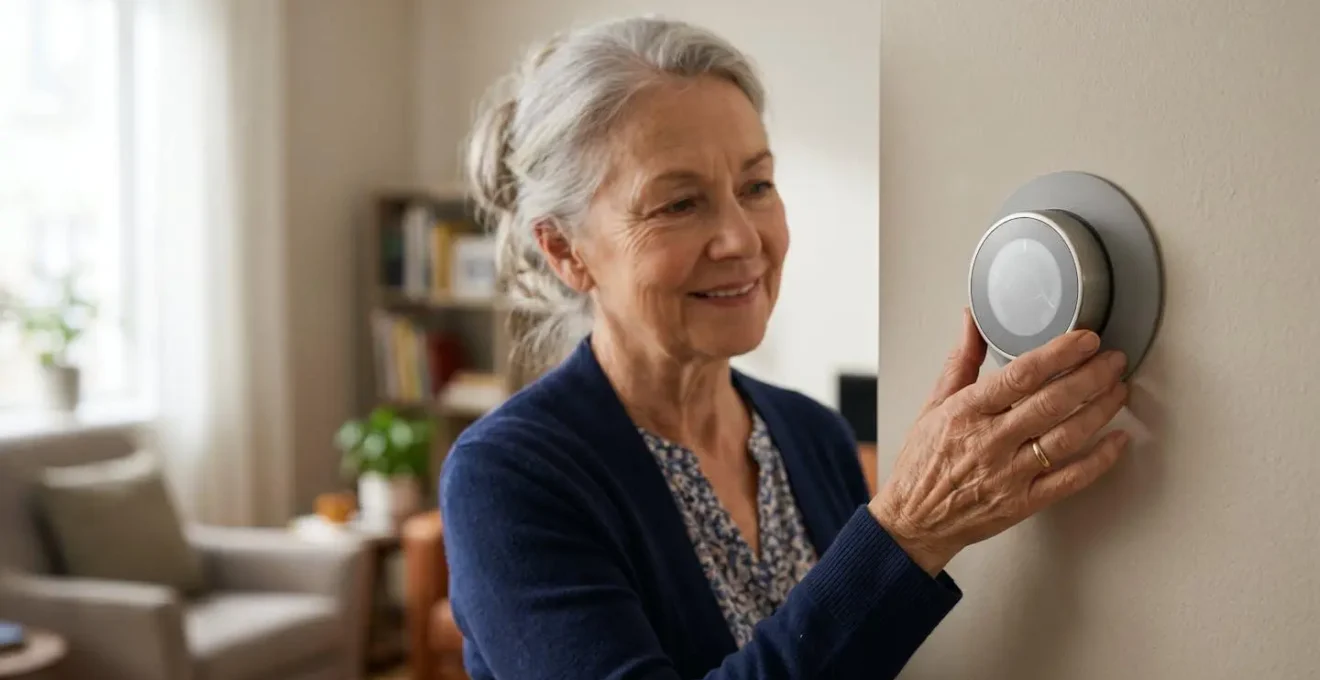
For seniors wary of apps, Hive’s traditional button interface often proves more intuitive than Nest’s ‘learning’ automation, but the best system is one that creates a reliable ‘digital safety net’.
- Voice commands like “Alexa, set heat to 20” provide a simpler, more accessible alternative to fiddly dials or complex apps for daily temperature adjustments.
- Smart plugs offer crucial peace of mind, allowing users or caregivers to remotely check and switch off potentially hazardous appliances like irons or heaters.
Recommendation: Prioritize devices with robust physical and voice controls over app-centric features, and always plan a low-tech fallback for when the internet is unreliable.
The promise of a smart thermostat is simple: save money on heating bills and live more comfortably. Yet for many seniors, this promise is overshadowed by a significant fear: the complexity of “the app”. The question isn’t just about technology, but about usability and independence. Choosing between popular systems like Google’s Nest and British Gas’s Hive often boils down to a core philosophy. Nest’s Learning Thermostat, with its sleek rotating dial and automatic scheduling, aims to learn your routine. Hive Active Heating, conversely, gives you full manual control from the start with physical buttons, a philosophy that many find more transparent and reassuring.
While the industry pushes app-based features, the real breakthrough for senior independence lies elsewhere. It’s in the creation of a digital safety net that simplifies, rather than complicates, daily life. This isn’t about mastering complex menus on a tiny screen. It’s about leveraging technology to make manual controls better—whether that’s a clear voice command, an easy-to-press button, or an automated schedule that brings warmth exactly when you need it, without you having to ask. True smart home success is measured not by features, but by the confidence and peace of mind it provides.
This guide moves beyond a simple feature comparison. We will explore how to build a smart home environment that prioritizes ease of use and reliability. We’ll look at why voice can be superior to a dial, how simple devices can prevent household accidents, and the crucial importance of planning for when technology inevitably fails. The goal is to achieve energy savings and comfort without ever feeling like you’ve lost control.
This article provides a comprehensive overview of how to select and use smart home technology to enhance comfort and safety, with a special focus on manual usability for seniors. Below is a summary of the topics we will cover to help you make an informed decision.
Summary: A Practical Guide to Senior-Friendly Smart Home Automation
- Why asking Alexa to “set heat to 20” is easier than a fiddly dial?
- How to use a smart plug to check if the iron was left on?
- Electric Tracks vs SwitchBot: retrofitting curtain openers for easy mornings?
- The error of relying on smart heat when your broadband is unreliable
- When to schedule heating boosts to match your sedentary periods?
- How to maintain a 18°C bedroom temperature in a drafty Victorian house without high bills?
- How to pour boiling water safely without lifting the kettle?
- Amazon Echo vs Google Nest: Which voice assistant understands senior accents best?
Why asking Alexa to “set heat to 20” is easier than a fiddly dial?
For anyone with arthritis, tremors, or declining eyesight, the small, often poorly lit dials and buttons on a traditional thermostat can be a daily source of frustration. A smart speaker offers a revolutionary alternative by creating a familiar interface: your own voice. There are no menus to navigate, no small icons to decipher. The simple, direct command, “Alexa, set the heat to 20 degrees,” bypasses physical and visual barriers entirely. This method is not just about convenience; it is a fundamental improvement in accessibility that restores control and dignity.
This shift towards voice interaction is becoming increasingly common. In fact, recent statistics show that 17% of seniors use voice-activated home assistants, a significant increase that highlights a growing comfort with this form of technology. The action is intuitive, requiring no learning curve for the physical interaction itself. It’s a conversation, not a technical task. This is especially vital for making small, frequent adjustments—turning the heat up a degree while watching television, for example—actions that might otherwise be avoided due to the hassle of getting up and fiddling with a difficult control.
The principle is simple: the system adapts to the person, not the other way around. Unlike a physical dial that requires precise motor skills and adequate vision, a voice command only requires clear speech. This makes it an empowering tool, turning what was once a potentially difficult chore into a simple, spoken request. It ensures that comfort is always within easy reach, regardless of physical limitations.
How to use a smart plug to check if the iron was left on?
The nagging worry—”Did I leave the iron on?”—is a universal anxiety, but for seniors or their caregivers, it can be a significant source of stress and a genuine fire risk. A smart plug is a simple, inexpensive device that provides a powerful solution and a profound sense of peace of mind. By plugging a high-risk appliance like an iron, a space heater, or a curling iron into a smart plug, you transform it into a remotely controllable and monitorable device. You no longer need to be at home to ensure safety; you can check the status and turn the appliance off from anywhere using a smartphone app.
This capability is more than just a convenience; it’s a critical safety feature. As the Arkansas Home Care Association notes, smart plugs can dramatically reduce fire hazards by letting you monitor potentially dangerous appliances. For caregivers, this provides a non-intrusive way to ensure a loved one’s safety. Instead of making a worried phone call, they can simply check the app. Many smart plugs also offer scheduling and timer features, allowing you to automatically turn off a space heater at bedtime or an iron after an hour of use, creating an automated digital safety net.
Setting up this system is straightforward and provides immediate benefits. By configuring alerts and automated shut-offs, you build a safety system that works proactively in the background, preventing accidents before they can happen and easing the mental burden for both the senior and their family.
Your Action Plan: Setting Up a Smart Plug for Appliance Safety
- Install and Connect: Plug the smart plug into a wall socket and follow the app instructions to connect it to your home’s Wi-Fi network.
- Plug In Appliance: Connect the high-risk appliance (e.g., iron, space heater) into the smart plug.
- Set Up Timers: Configure an auto-off timer in the app (e.g., turn off after 60 minutes) to prevent the appliance from being left on indefinitely.
- Enable Notifications: Activate push notifications to receive an alert on your phone if the appliance is turned on or if it remains on for an extended period.
- Share Access with Caregivers: Add a family member or caregiver to the app so they can also monitor the device and receive alerts, providing an extra layer of security.
Electric Tracks vs SwitchBot: retrofitting curtain openers for easy mornings?
Waking up to natural light is a pleasant start to the day, but for a senior with mobility issues or shoulder pain, the daily act of opening and closing heavy curtains can be a painful chore. Automated curtain openers solve this problem, enhancing both convenience and well-being. There are two main approaches to retrofitting existing curtains: integrated electric tracks and add-on bots like the SwitchBot Curtain. Electric tracks replace your existing curtain rod with a motorized system, offering a seamless and powerful solution. They are robust but often require more complex installation and are a more permanent fixture.
On the other hand, devices like the SwitchBot Curtain are small robots that clamp onto your existing curtain rod and push or pull the fabric open and closed. Their main advantage is the simplicity of installation—they can typically be set up in minutes without any tools. While they may not be as powerful as a full track system for very heavy drapes, their ease of use and non-invasive nature make them an excellent starting point for home automation. Both systems can be controlled via an app, a remote, or, most importantly, through voice commands and schedules. This allows for creating routines, such as having the curtains open automatically at 7:30 AM to let in the morning sun, helping to establish a consistent circadian rhythm.
Case Study: The Impact of Environmental Automation on Senior Independence
The real value of such technology goes beyond simple convenience. According to a study by the AgeTech Collaborative, older adults identified automated environmental controls as a key factor in maintaining their independence. The research highlighted that predictable daily routines, such as curtains opening at a set time, provide a greater sense of control and self-reliance. This is particularly beneficial for establishing consistent sleep-wake cycles. As the global smart home device market is projected to reach $165 billion by 2025, a significant driver of this growth is the increasing demand for technologies that support aging in place with dignity and autonomy.
Ultimately, the choice between a track and a bot depends on budget, DIY confidence, and the weight of the curtains. However, both achieve the same goal: removing a physical barrier to comfort and helping to automate a gentle, natural start to the day.
The error of relying on smart heat when your broadband is unreliable
The “smart” in a smart thermostat is heavily dependent on a stable internet connection. Most features—app control, voice commands, real-time energy reports, and automatic adjustments based on weather—cease to function the moment your broadband goes down. This creates a critical point of failure that can be more than just an inconvenience for a senior, potentially leaving them without easy control over their heating in cold weather. Relying solely on a cloud-dependent system without a backup plan is a significant error in judgment when setting up a smart home for a vulnerable person.
This is where the concept of control redundancy becomes paramount. A well-designed system must have a reliable low-tech fallback. Does the thermostat itself have physical buttons that still work without an internet connection? Can it at least maintain a basic pre-set schedule to prevent the house from getting dangerously cold? For example, Hive is known for its ability to maintain its existing schedule locally even if the internet drops, while Nest will revert to its last known settings or a default safety temperature. These offline capabilities are arguably more important than any fancy online feature.
Building a resilient system means planning for failure. It’s not about avoiding smart technology, but about choosing it wisely and supplementing it with failsafes. Before purchasing any device, the first question should be: “What happens when the internet is off?” A truly smart home is one that remains safe and functional even when it’s temporarily “dumb”.
- Choose Thermostats with Local Control: Prioritize models that can run basic schedules without an active internet connection.
- Configure a Fallback Schedule: Set a minimum safe temperature (e.g., 18°C) that the system defaults to during an outage.
- Consider a 4G Backup: For critical situations, a small 4G/LTE mobile hotspot can provide a redundant internet connection.
- Test Manual Overrides: Regularly practice using the physical buttons on the thermostat to ensure familiarity in an emergency.
- Document Procedures: Keep large-print, simple instructions for manual operation near the thermostat.
When to schedule heating boosts to match your sedentary periods?
Traditional heating schedules are based on a simple on/off logic: heat in the morning, off during the day, on again in the evening. This model, designed for a working household, is often inefficient and uncomfortable for retired seniors who spend more time at home. The body feels colder when sedentary for long periods, such as when reading, watching television, or napping. The key to combining comfort and savings is not to heat the entire house all day, but to schedule short, targeted heating boosts that align with these inactive periods. This is a core benefit of comfort automation.
With a smart thermostat, you can move beyond a simple two-period schedule. For example, if you know you typically read in the living room from 2 PM to 4 PM, you can schedule a one-hour “boost” to begin at 1:45 PM. This raises the temperature by a degree or two just as you’re settling in, preventing the chill that can set in from inactivity. The system can then automatically return to a lower, more economical “background” temperature afterwards. This proactive approach keeps you comfortable without having to constantly get up to adjust the thermostat and without the high cost of maintaining a high temperature all day.
By analyzing daily routines, you can identify these key sedentary moments. Common periods include mid-morning after initial chores are done, post-lunch, and late evening. Setting up these micro-schedules transforms the heating system from a reactive utility into a proactive comfort provider. This intelligent use of technology is precisely how smart thermostats can help seniors save up to 26% annually on their bills; the savings come from precision, not from sacrifice.
How to maintain a 18°C bedroom temperature in a drafty Victorian house without high bills?
Maintaining a stable, comfortable temperature in an older, poorly insulated home is a classic challenge. The common response is to simply turn the heating up, leading to astronomical bills and a stuffy environment. The smart approach is about precision and efficiency, not brute force. The goal of 18°C—often recommended for bedrooms—in a drafty house is achievable without breaking the bank by combining smart technology with basic insulation improvements. Smart thermostats with individual radiator valves (TRVs) are particularly effective here, allowing you to create a separate heating “zone” for the bedroom.
This means you can set the bedroom radiator to maintain a steady 18°C overnight, while the rest of the house is set to a much lower, more economical temperature. The thermostat will only call for heat when that specific room drops below the target, rather than trying to heat the entire leaky property. This targeted approach is far more efficient. Furthermore, combining this with low-cost insulation measures like draft excluders for doors, thermal linings for curtains, and sealing gaps around window frames can make a huge difference. These physical improvements reduce the rate of heat loss, meaning the boiler has to work less frequently to maintain the desired temperature.
It’s important to have realistic expectations. As heating experts point out, the exact savings depend heavily on the home itself. In a discussion of Hive vs. Nest, Deakins NW Heating Experts wisely note that “how much [they] can reduce heating bills, but how much depends on your home’s insulation, your heating habits, and your energy rates”. However, using a certified efficient thermostat can make a measurable impact. For instance, studies have shown a 23% reduction in energy costs with ENERGY STAR certified models, which achieve these savings through more precise temperature control and intelligent scheduling.
How to pour boiling water safely without lifting the kettle?
The simple act of making a cup of tea can become a hazardous task for a senior dealing with weakened grip, tremors, or the strain of lifting a heavy, boiling kettle. The risk of scalding is significant. Fortunately, several assistive devices can eliminate this risk entirely by removing the need to lift the kettle at all. The two most common solutions are kettle tippers and dedicated hot water dispensers, each with its own safety profile.
A kettle tipper is a cradle or stand that holds your existing kettle. It allows you to tilt the kettle and pour the water by applying gentle pressure to a handle, without ever taking the kettle’s weight. A hot water dispenser, on the other hand, is a countertop appliance that keeps a reservoir of water at a near-boiling temperature, dispensing it at the press of a button, similar to a coffee machine. As Tech-Enhanced Life explains, for a senior with tremors, “pressing a single button with the mug already in place is a significantly safer action than tilting a heavy, hot object”. This highlights a key difference in the fine motor skills required for each device.
The choice between them often comes down to an individual’s specific needs and cognitive ability, as each presents a different set of actions. The following table breaks down the safety factors for each device to help guide the decision.
| Safety Factor | Kettle Tipper Device | Hot Water Dispenser |
|---|---|---|
| Lifting Requirement | Eliminated (kettle remains on cradle) | Eliminated (cup brought to dispenser) |
| Splash Risk | Moderate (tilting motion may cause splashing) | Minimal (controlled vertical dispensing) |
| Tremor Impact | Can affect tilting accuracy | Single button press with stable cup placement |
| Cognitive Steps | Multiple (position cup, activate tipper, monitor pour) | Fewer (place cup, press button, wait) |
| Visual Requirements | Must monitor pour level and aim | Fixed spout position, audible dispensing cue |
| Physical Strength | Minimal but some activation force needed | Minimal (light button press only) |
| Setup Complexity | Requires compatible kettle and cradle assembly | Initial water reservoir filling needed |
| Maintenance | Regular kettle descaling | Regular reservoir cleaning and descaling |
| Smart Integration | Can pair with smart plug for auto-shutoff | Some models have temperature control and scheduling |
Key Takeaways
- Prioritize Physical Controls: The best smart thermostat for a senior is often the one with the most intuitive manual interface (like Hive’s buttons) and a clear, easy-to-read display.
- Voice is an Accessibility Tool: Using voice commands via Alexa or Google Assistant bypasses physical limitations and complex apps, making it a powerful tool for daily adjustments.
- Build a Digital Safety Net: Simple devices like smart plugs for high-risk appliances and automated curtains for morning routines enhance safety and independence with minimal technical interaction.
Amazon Echo vs Google Nest: Which voice assistant understands senior accents best?
When voice becomes the primary interface for controlling a smart home, the accuracy of the assistant’s understanding is paramount. The question of whether Amazon’s Alexa or Google’s Assistant is “better” for seniors is complex, as it’s less about the technology itself and more about user perception, accent variation, and the nature of the request. There is no definitive study proving one is universally better at understanding “senior accents,” which vary as much as any other accent. However, general consensus and user reports offer some guidance. Google Assistant is often praised for its superior ability to understand context and complex, conversational queries.
For example, if you ask a follow-up question, Google is more likely to understand it’s related to the previous one. This can feel more natural for users who aren’t accustomed to the rigid command structures of early voice assistants. On the other hand, Amazon’s Alexa has a longer history in the market and a vast ecosystem of “skills” and compatible devices, which can be an advantage. As one expert notes:
Amazon Alexa sometimes struggles with complex questions compared to Google Assistant.
– Stoneridge Living Community Services, Google Assistant, Siri And Alexa For Seniors
However, a comprehensive 2025 study on adapting voice technology for older adults revealed that perceived problems often stemmed from a lack of familiarity and unmet expectations rather than fundamental flaws in voice recognition. The biggest hurdles were the initial setup and learning the scope of what the assistant could do. Once trained and familiarized, participants found basic commands highly intuitive. This suggests that the “best” assistant is often the one that a family member or caregiver can help set up and demonstrate, building confidence through successful early interactions.
To start building a safer, more comfortable, and cost-effective home environment, the next step is to evaluate your own daily routines and identify one or two key areas—whether it’s thermostat control, appliance safety, or morning routines—where a simple smart device could make the biggest positive impact.