
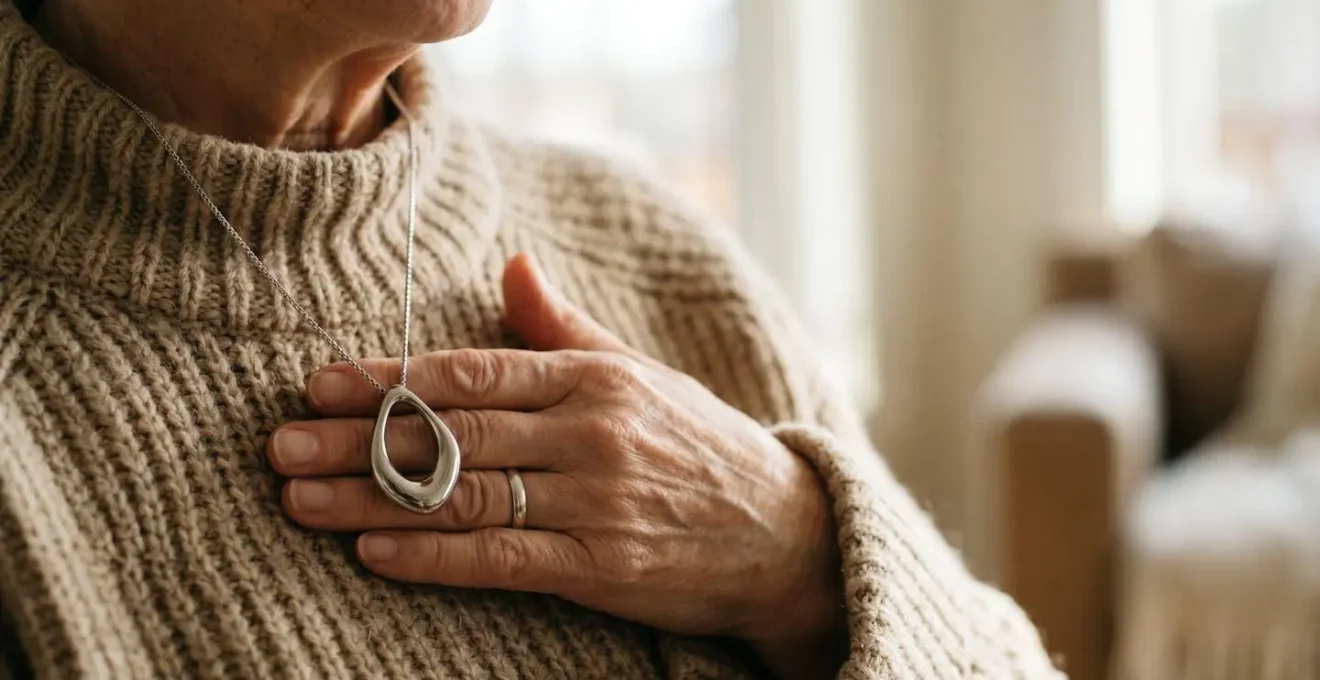
The aesthetic appeal of smart jewellery often masks critical functional compromises that can make it less reliable than a traditional medical alert in an emergency.
- Bluetooth dependency creates a significant point of failure if the user’s smartphone is out of range, turned off, or has a dead battery.
- Delicate designs may not withstand the impact of a real-world fall, particularly on hard surfaces like a bathroom floor.
Recommendation: Prioritise proven reliability—like dedicated communication and robust, tactile buttons—over pure aesthetics when choosing a life-saving device.
The conversation is a familiar one. An elderly parent, fiercely independent and style-conscious, flatly refuses to wear the “ugly red button” of a standard medical alert pendant. It’s a symbol, they feel, of frailty and lost autonomy. In this context, the rise of smart jewellery—elegant necklaces, sleek rings, and sophisticated brooches with hidden alert functions—seems like the perfect solution. It promises safety without the stigma, protection disguised as a fashion statement.
As a wearable fashion tech expert, I appreciate the power of design to drive adoption. If a device is beautiful, it’s more likely to be worn, and a device that’s worn is infinitely more effective than one left in a drawer. However, this focus on aesthetics has created a new set of risks. We’ve become so enamoured with how these devices look that we’ve stopped asking the most important question: do they actually work when it matters most? The truth is, many of these stylish alternatives involve significant functional compromises that are rarely discussed.
This article moves beyond the marketing gloss to provide a critical analysis of the trade-offs between beauty and reliability. We will dissect the hidden points of failure, from connectivity issues to material fragility, empowering you to make a choice that is not just stylish, but genuinely safe. We will explore the critical differences in activation mechanisms, the true cost of ownership, and how to have a productive conversation with a loved one about what true safety entails.
To navigate this complex decision, this guide breaks down the key functional considerations you must evaluate before choosing a design-led safety device. The following sections will equip you with the expert knowledge to see past the sparkle and assess the substance.
Contents: Smart Jewellery Alarms: A Functional Review
- Why your smart ring might not trigger the alarm if your phone is upstairs?
- Monthly Fee vs Upfront Cost: the hidden price of designer safety tech?
- Button press vs Gesture: which is easier to trigger during a panic attack?
- The mistake of choosing delicate jewellery that breaks during a fall impact
- How to sell the idea of a “smart brooch” to a stubborn parent?
- Why visual contrast prevents trips better than warnings for dementia sufferers?
- Why a Home-only alarm is useless for an active gardener?
- GrandPad or iPad: Which tablet creates less frustration for an 80-year-old beginner?
Why your smart ring might not trigger the alarm if your phone is upstairs?
The single most significant functional compromise in most smart jewellery is its reliance on a Bluetooth connection to a smartphone. While this allows for a small and discreet form factor, it creates a critical dependency. The jewellery itself is merely a remote trigger; the phone does the heavy lifting of placing the emergency call. If the phone is out of Bluetooth range (typically 10-30 metres in ideal conditions), has its battery die, is in airplane mode, or has its Bluetooth turned off to save power, the alarm is useless. A fall in the garden while the phone is charging in an upstairs bedroom means no call for help.
This stands in stark contrast to traditional systems that use a dedicated base station. These units communicate with the pendant using a more robust radio frequency (RF) signal, often providing up to a 1,000-foot communication range. This covers the entire home and a significant portion of the yard, independent of any smartphone. The base station has its own cellular connection and battery backup, creating a self-contained, highly reliable safety net.
This “phone dependency” is a major point of failure that is often downplayed. An operating system update on the phone can disrupt pairing, and aggressive battery-saving modes can sever the connection without the user’s knowledge. The reliability of the entire system hinges on the perfect functioning and proximity of a completely separate device.
Case Study: The Reliability of Dedicated Communication
Life Alert’s system, with over 39 years of pioneering medical alert systems in America, exemplifies the advantage of a dedicated connection. Their waterproof pendant communicates directly with a base station, which houses its own communication hardware. This design completely eliminates the smartphone from the emergency equation, ensuring that events like a dead phone battery or a lost Bluetooth signal do not prevent a user from connecting with a dispatcher during a crisis. This architecture is fundamentally more resilient for its intended purpose.
Monthly Fee vs Upfront Cost: the hidden price of designer safety tech?
The second major consideration is what I call the “Total Cost of Disguise.” Designer safety tech often comes with a financial double-whammy: a high upfront cost for the hardware, plus a recurring monthly subscription for monitoring services. While consumers are accustomed to monthly fees for traditional medical alert systems, they often don’t factor in the steep initial purchase price of the jewellery itself, which can run from $200 to over $300.
In contrast, many established medical alert companies lease their equipment for free or charge a nominal one-time fee. Their business model is built entirely around the monthly monitoring service, which typically averages around $30-$50 per month. When you purchase a piece of smart jewellery, you are essentially paying a significant premium for the aesthetic design before the service even begins. Over the lifetime of the product, this can make it a substantially more expensive option than a traditional system offering the same, or even superior, level of protection.
It’s crucial to look beyond the monthly price tag and calculate the total cost of ownership over a one- to two-year period. Does the aesthetic value of the device justify an additional several hundred dollars in upfront costs, especially if it comes with the functional compromises discussed elsewhere in this article? For some, the answer may be yes, as any device worn is better than one that isn’t. But it must be a conscious financial decision, not an overlooked detail.
This table breaks down the typical cost structures, highlighting how smart jewellery fits into the broader market. As the data from a comprehensive cost analysis by the NCOA shows, the equipment fee is a major differentiator.
| System Type | Monthly Cost Range | Monitoring Included | Equipment Fee |
|---|---|---|---|
| Basic Landline Home System | $19.95 – $22.95 | 24/7 Professional Monitoring | Often $0 (leased) |
| Cellular Home System | $24.95 – $29.95 | 24/7 Professional Monitoring | $0 – $99.95 |
| Mobile GPS + Cellular | $29.95 – $47.95 | 24/7 + GPS Tracking | $0 – $199.95 |
| Smart Jewelry/Wearables | $39.95+ | Varies by provider | $200 – $300+ |
| Optional Add-ons (Fall Detection) | +$5 – $15/month | Automatic Fall Alert | N/A |
Button press vs Gesture: which is easier to trigger during a panic attack?
In a moment of genuine crisis—a sudden fall, a heart palpitation, the onset of a stroke—the human body undergoes a physiological stress response. Adrenaline floods the system, and the heart rate skyrockets. Crucially, research shows that when heart rate exceeds 115 bpm, the threshold for fine motor skill loss is crossed. Complex, multi-step actions become difficult, if not impossible. This is where the design of an alarm’s activation mechanism becomes a life-or-death feature.
Many smart jewellery devices, in their quest for a seamless and sleek look, opt for discreet activation methods: a long press on a tiny, flush button; a specific sequence of taps; or even a gesture. While elegant in theory, these require a level of fine motor control that a person may not possess during a medical emergency or a panic attack. The user must remember the correct sequence and have the dexterity to execute it under extreme duress.
This is why emergency response professionals emphasize the importance of gross motor skills—large, simple movements that remain accessible under stress. The “ugly red button” is designed with this principle in mind. It is large, often recessed to prevent accidental presses, but tactile and requires a single, decisive action: push. There is nothing to remember, no sequence to master. It is a simple, unambiguous gross motor movement.
Survival skills should focus on gross motor skills, because fine motor skills become difficult under stress.
– Firehouse Magazine Emergency Response Training, First Due: The Anatomy of Fear and Stress
The tactile feedback of a button press confirms the action has been taken, providing a small but significant degree of reassurance to the person in distress. A featureless surface that relies on a specific tap pattern offers no such confirmation, potentially adding to the user’s panic.
This image highlights the power of tactile design. The raised, textured surface is engineered for certainty in a moment of uncertainty, a feature that is often the first casualty of fashion-forward design.
The mistake of choosing delicate jewellery that breaks during a fall impact
A safety device must be able to survive the very event it’s designed to protect against. While a smart necklace made of delicate metals and gemstones might be beautiful, its durability during a high-impact event is a serious concern. A fall is a violent, uncontrolled event. The device could be smashed against a floor, a bathtub edge, or a piece of furniture. Will a delicate chain snap? Will a gemstone setting shatter? Will the impact destroy the internal electronics before an alert can even be sent?
This is particularly critical in the highest-risk area of the home. According to some studies, more than 80% of senior falls occur in the bathroom, a world of hard, unforgiving surfaces like tile and porcelain. This environment demands a device that is not only waterproof but also shock-resistant. Traditional medical alert pendants are typically made from durable, lightweight plastics and are designed to be worn 24/7, including in the shower. They are built for function, not form, and rigorously tested to withstand impacts and submersion.
When evaluating a piece of smart jewellery, you must ask questions that go beyond its appearance. What is it made of? Has it been drop-tested? What is its IP (Ingress Protection) rating for water and dust resistance? A device rated as “water-resistant” may not survive full submersion in a bath, whereas a “waterproof” device (typically IP67 or IP68) is designed for it. Choosing a device that isn’t rated for the shower is a critical mistake, as it forces the user to take it off in the one place they are most likely to need it.
Checklist for a Fall-Proof and Shower-Safe Device
- Verify waterproof certification: Look for devices explicitly labeled as ‘waterproof’ or ‘shower-safe’ (e.g., IP67/68) rather than just ‘water-resistant’.
- Examine material and construction: Favour durable, shock-absorbent materials over delicate metals or fragile components. Inquire about impact testing.
- Check for a sealed battery design: Devices with non-removable, long-lasting sealed batteries eliminate water ingress points and charging vulnerabilities.
- Test the breakaway clasp: Ensure the clasp is strong enough for daily wear but will release under force to prevent a strangulation hazard during a fall.
- Assess device weight and profile: Lightweight, low-profile pendants are less likely to be damaged by impact and are more comfortable for constant wear.
How to sell the idea of a ‘smart brooch’ to a stubborn parent?
Even with all the functional arguments, the initial barrier often remains emotional: “I don’t want to look old.” Forcing the issue with a stubborn parent is rarely effective. The key is to shift the conversation from a battle of wills to a collaborative search for an acceptable solution, using aesthetics as the starting point, not the end goal.
Start by acknowledging their feelings. Say, “I understand. You’ve always had impeccable style, and those standard alarms are clinical and ugly. Let’s find something you would actually not mind wearing.” This validates their perspective and opens the door to a discussion rather than an argument. Frame the search around discretion. The goal is to find a device that doesn’t advertise itself as a medical alarm.
SafeHome.org senior care experts found that users who like how their necklace looks wear it more consistently—which ultimately improves their safety. Their testing revealed that the MobileHelp pendant’s sleeker design made it easy to tuck inside clothing so nobody could tell they were wearing a medical alert device. This discretion factor proved critical for adoption, as seniors were more willing to wear devices that didn’t announce their vulnerability or look clinical.
– User adoption insight, SafeHome.org
Use this as a bridge. Introduce them to the modern options, including the more stylish, yet functional, versions of traditional pendants and the higher-end jewellery pieces. As the SafeWise review team notes, some brands focus heavily on this aspect, with collections “genuinely pretty pieces of jewelry designed by Trelawear, styled after Audrey Hepburn, Dolly Parton, Tippi Hedron, and Farrah Fawcett.” By showing them these options, you are respecting their aesthetic concerns. Once you have their buy-in on a few designs they find visually acceptable, you can then gently introduce the functional criteria discussed in this article as a way to “choose the best one among these beautiful options.” The conversation becomes about comparing features of pre-approved styles, not about forcing them to wear something they hate.
Why visual contrast prevents trips better than warnings for dementia sufferers?
For individuals living with dementia, particularly Alzheimer’s disease, the world can become a visually confusing place. The brain’s ability to process information is impaired, and this includes visual perception. One of the lesser-known symptoms is a decline in contrast sensitivity. This means it becomes difficult to distinguish between different shades of the same colour or to see the edges of objects that don’t stand out from their background. A beige staircase on a beige floor can effectively become invisible.
In this context, verbal warnings or small signs (“Mind the Step”) are often ineffective. The person may not see the sign, or if they do, they may not be able to process the warning and apply it to their physical environment in time. The solution lies not in adding more information to process, but in simplifying the visual field. This is where high-contrast environmental modifications are incredibly powerful. As research using frequency doubling technology found that visual contrast sensitivity is impaired in prodromal and mild clinical Alzheimer’s disease, adapting the environment becomes a critical safety measure.
Applying brightly coloured tape (like yellow or orange) to the edge of each step creates a sharp, unmissable visual cue that the brain can easily detect, even with diminished processing power. It clearly defines the change in depth. The same principle applies to other areas: a dark-coloured toilet seat on a white toilet, a brightly coloured plate on a plain tablecloth, or a dark light switch on a light-coloured wall. These simple changes provide the brain with the clear, high-contrast information it needs to navigate space safely.
They have a lot of problems seeing shades of the same colour and have increased success when there is a high degree of contrast – such as black on yellow.
– UHN Multidisciplinary Memory Clinic, Visual Dysfunction in Dementia: Home Safety Tips & Recommendations
This approach bypasses the need for cognitive interpretation and speaks directly to the brain’s more fundamental perceptual systems. It’s a prime example of how thoughtful design, focused on the user’s specific perceptual challenges, can be a more effective safety tool than any electronic device or warning label.
Why a Home-only alarm is useless for an active gardener?
The concept of “home” for many active seniors isn’t confined to four walls. It extends to the garden, the driveway, the mailbox at the end of the lane, or a short walk to a neighbour’s house. This is where the limitations of even the best “in-home” medical alert systems become apparent. These systems rely on a connection between the pendant and a base station inside the house. While the best-in-class systems work well within this perimeter, they have a finite range.
For instance, many traditional in-home medical alert pendants offer a 1,000 feet range throughout the home and yard. This is substantial and covers most typical properties. However, for a senior who lives on a larger property, whose garden extends beyond this range, or who enjoys walks around the block, this system provides a false sense of security. The moment they step outside that invisible boundary, their safety device becomes an inert piece of plastic.
A fall while tending to a distant flowerbed or a medical event during a walk to the corner shop would go undetected. This is why a thorough assessment of the user’s actual, daily-lived geography is essential before choosing a system. If their activities consistently take them beyond the range of an in-home system, then a mobile solution is not a luxury, but a necessity. Mobile devices with built-in GPS and cellular technology function independently of any base station, offering protection wherever a cellular signal is available. For the active gardener, the walker, or the social butterfly, this is the only solution that truly matches their lifestyle.
Key Takeaways
- True safety in a wearable device is defined by reliability, not just aesthetics.
- Bluetooth dependency, material fragility, and complex activation methods are common points of failure in fashion-forward smart jewellery.
- The best device is one designed for its user’s specific needs, environment (e.g., waterproof for the bathroom), and physical abilities (e.g., gross motor skill activation).
GrandPad or iPad: Which tablet creates less frustration for an 80-year-old beginner?
The question of whether to get a GrandPad or an iPad for an elderly beginner perfectly encapsulates the central theme of this article: purpose-built simplicity versus feature-rich complexity. An iPad is a marvel of technology—a powerful, versatile tool capable of almost anything. But for an 80-year-old novice, that endless capability is often a source of profound frustration. The sea of icons, the constant notifications, the need to manage Apple IDs and Wi-Fi passwords, and the risk of accidental purchases can create a steep and intimidating learning curve.
The GrandPad, by contrast, is a masterclass in purpose-built design. It is not a general-purpose computer; it is a communication and connection device designed from the ground up for seniors with little to no tech experience. The user interface is stripped of all complexity. It features large, clearly labelled buttons for core functions: Call, Photos, Email, Camera. There is no open app store, no confusing settings menus, and no risk of getting lost in the system. It operates in a secure, closed ecosystem managed by a family administrator via a separate app.
This approach directly addresses the primary anxieties of a new senior user. The risk of “breaking something” is virtually eliminated. The frustration of navigating a complex system is gone. While an iPad offers the *potential* to do more, the GrandPad guarantees the ability to do the *essential things*—video calls with family, sharing photos, listening to music—with ease and confidence. For an 80-year-old beginner, reducing cognitive load and building confidence is far more valuable than access to a million apps they will never use. The iPad may be the more powerful device, but the GrandPad is often the more empowering one.
Ultimately, whether choosing a safety pendant or a tablet, the goal is to provide a tool that enhances life, not complicates it. By focusing on functional reliability and a user-centric design, you can make a choice that offers true peace of mind for everyone involved. To apply these principles, the next logical step is to perform a detailed assessment of your loved one’s specific needs and lifestyle.